In many UK homes, the idea of a home cinema setup has moved from being a luxury to something more common. With large-screen TVs, powerful surround-sound systems, streaming devices, and even gaming consoles, families are creating entertainment hubs right in their living rooms.
However, with all these devices comes one important concern: electrical safety. Large TVs and sound systems require more power than basic appliances, and if not set up correctly, they can put stress on your home’s electrical system. In this blog, we’ll explore how to safely power your home cinema without risking damage, high bills, or safety hazards.
Why Electrical Safety Matters in Home Cinemas
Unlike a simple TV plugged into the wall, a home cinema system often includes:
- A large 4K or OLED TV or projector
- Surround-sound or Dolby Atmos speakers
- Subwoofers (which draw heavy power)
- Media players, streaming boxes, or gaming consoles
- Lighting and smart home accessories
Together, these create a high electrical load on a single area of your home. If not managed properly, this can lead to:
- Overloaded sockets
- Tripped RCDs (Residual Current Devices)
- Overheating cables
- Electrical fires in extreme cases
So, taking safety precautions is essential.
Step 1: Check the Power Supply
Most UK homes have a 230V power supply, which is enough for home cinema systems, but the issue lies in how many devices share the same socket or extension.
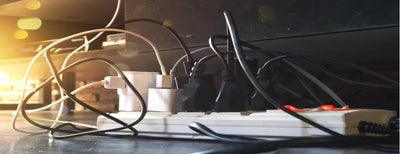
- Never plug all your devices into a single multi-plug adapter.
- Use a surge-protected extension lead rated for home entertainment systems.
- Ensure the total wattage of all devices connected doesn’t exceed the extension’s maximum load (usually 3,000W in the UK).
Step 2: Use Surge Protection
Large TVs and amplifiers are sensitive to power fluctuations. A sudden surge from the grid or a lightning strike can damage them beyond repair.
Invest in:
- Surge-protected extension leads for your TV and speakers.
- A whole-house surge protection device installed at the consumer unit (if your home doesn’t already have one).
This small step protects your investment in expensive equipment.
Step 3: Avoid Overloading Circuits
It’s tempting to run everything from one socket, but overloaded circuits are one of the most common causes of tripped RCDs in UK homes.
Here’s how to avoid this:
- Distribute devices across different sockets in the room.
- For high-powered amplifiers and subwoofers, consider giving them a dedicated socket.
- If you’re adding a full cinema room, ask a qualified NICEIC-registered electrician to install a separate circuit.
Step 4: Cable Management and Ventilation
Cables running behind the TV stand or under carpets can be dangerous if not managed properly.
- Use cable organisers to keep wires tidy.
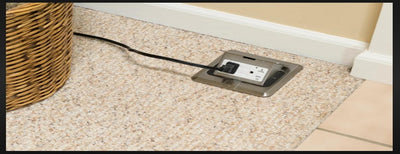
- Never run extension cables under carpets – they can overheat.
- Allow enough ventilation space around amplifiers and subwoofers. These generate heat and can overheat if enclosed in tight spaces.
Step 5: RCD and MCB Protection
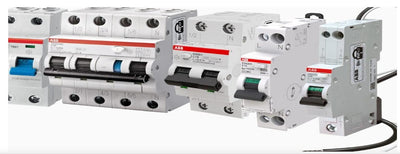
Your consumer unit should already have RCD (Residual Current Device) protection, which cuts power if it detects a fault, preventing electric shock.
If your home cinema is a high-power setup, you may need:
- MCBs (Miniature Circuit Breakers) to protect against overload.
- A dedicated RCD circuit for your cinema room.
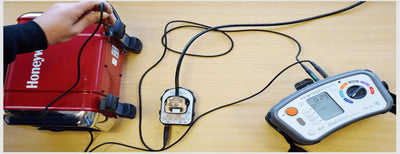
If you’re unsure, an electrician can carry out a load test to check your current wiring can handle the demand.
Step 6: Smart Power Management
Modern home cinema systems often include smart plugs and energy monitors. These can:
- Show you how much energy your system is consuming.
- Allow you to switch devices off remotely.
- Prevent standby mode from wasting electricity overnight.
This not only improves safety but also reduces your electricity bill.
Step 7: Don’t Forget the Soundproofing and Lighting
While not directly electrical, soundproofing and ambient lighting often come with extra wiring needs. If you’re installing LED strips, star-ceiling lights, or acoustic panels with power connections, make sure they are wired properly with low-voltage drivers and never overloaded on the same circuit as your TV.
When to Call a Professional
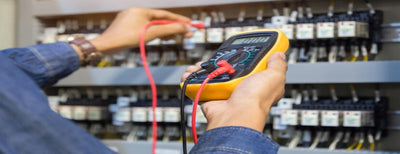
If your home cinema setup is more than just a TV and soundbar, it’s worth calling an electrician in cases such as:
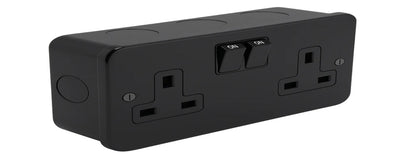
- Installing wall-mounted sockets behind your TV.
- Running dedicated circuits for amplifiers.
- Adding surge protection at the consumer unit.
- Ensuring your home insurance remains valid (some insurers require proof of professional installation for high-value electronics).
Final Thoughts
A home cinema brings cinema-quality entertainment into your living room, but it also introduces new electrical challenges. By following simple steps – using surge protection, avoiding overloaded circuits, ensuring good cable management, and consulting an electrician when needed – you can enjoy your large TV and sound system safely and efficiently.
In short, the right electrical setup not only protects your expensive equipment but also keeps your home safe. So before you press play on your favourite film, make sure your power setup is as ready as your popcorn.